How to keep a legacy Efergy Engage Hub working after the vendor cloud disappears by running a local replacement server in a TrueNAS SCALE container.
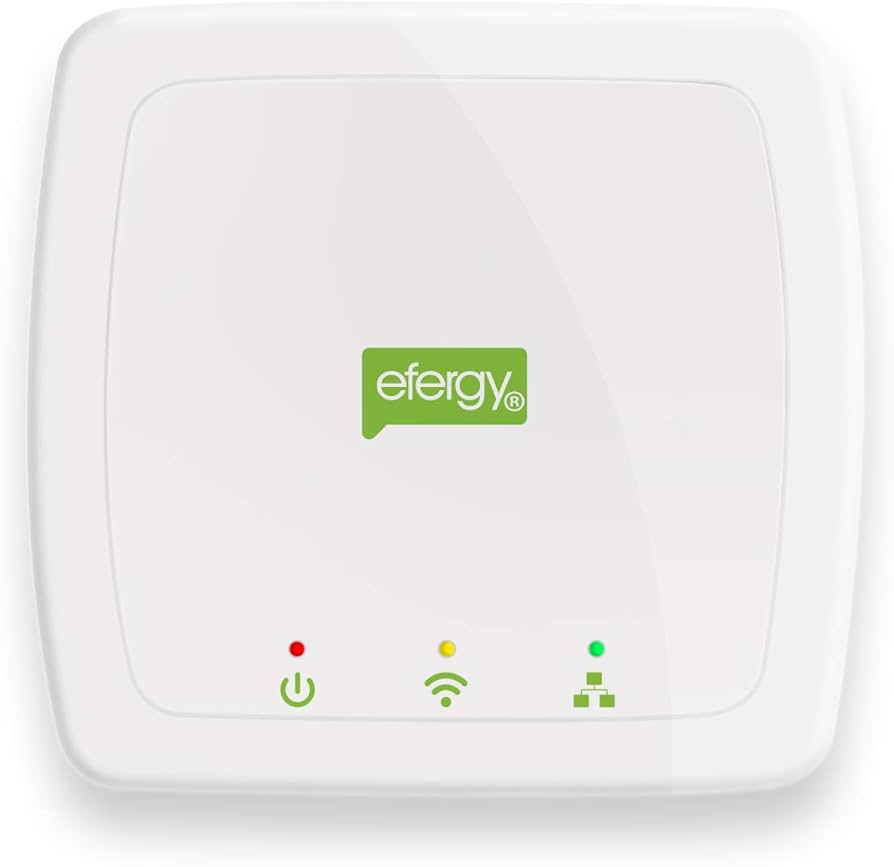
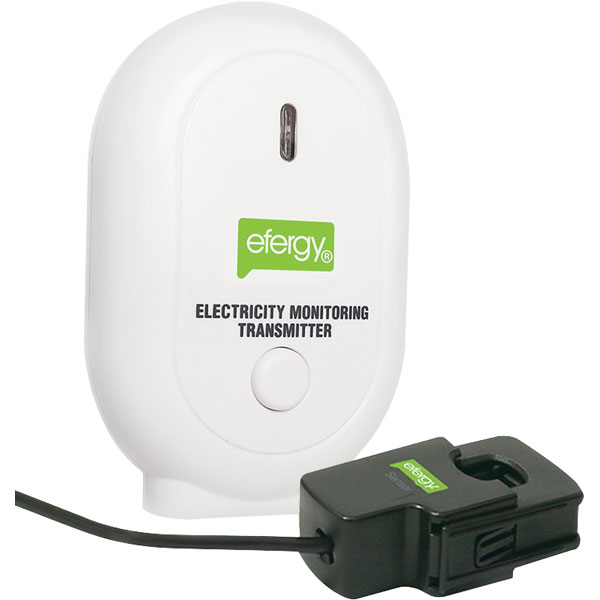
When Efergy took down the servers behind the old Engage platform, a lot of perfectly functional energy-monitoring hubs were turned into near e-waste overnight.
The hardware still worked. The sensors still worked. The hub still tried to phone home. But the API endpoint it depended on was gone.
I recently came across a GitHub project that brings these legacy hubs back to life:
https://github.com/DevOldSchool/powermeter_hub_server
It emulates the old Efergy API locally, captures the hub’s data, and stores it in SQLite. In other words, instead of sending readings to Efergy’s cloud, the hub can be redirected to a service you run yourself.
This post covers the basics of running it in a TrueNAS SCALE container.
What the project does
The powermeter_hub_server project is designed for legacy Efergy Engage hubs and works by running two services:
- legacy-nginx — a reverse proxy using an older OpenSSL stack so it can still accept the hub’s legacy SSLv3 connection
- hub-server — a Python service that emulates the Efergy API and stores readings in a local SQLite database
That combination matters because the original hub expects to talk to sensornet.info over an old SSL/TLS stack that modern services generally won’t accept.
Why TrueNAS?
If you already run TrueNAS SCALE at home, it makes a good landing spot for this kind of rescue project:
- always on
- easy persistent storage
- simple container management
- already central to many home-lab environments
It is also a neat way to keep the service local and under your control rather than depending on another hosted workaround.
Before you start
You’ll need:
- a TrueNAS SCALE system with Apps or container support
- an Efergy Engage hub
- access to your local DNS or router DNS override
- the MAC address or expected hostname pattern for your hub
- a place to persist the database on TrueNAS
- a bit of comfort with container networking and volume mounts
You will also need to generate the SSL certificate files expected by the project.
High-level setup
The basic flow looks like this:
- Deploy the project on TrueNAS
- Generate the required certificates
- Expose the container on port 443
- Persist the application data and SQLite database
- Redirect the hub’s
sensornet.infohostname to your local TrueNAS-hosted service - Watch the logs to identify whether the hub is H1, H2, or H3
- Adjust configuration such as
POWER_FACTOR - Let it start collecting readings
Container layout on TrueNAS SCALE
There are a couple of ways to do this on TrueNAS SCALE, depending on how you prefer to manage containers:
- via the Apps / Custom App route
- via Docker Compose
- via a manually created container stack if you already manage your own tooling
The project itself is built around a two-container compose layout, so the simplest mental model is:
- one container for legacy-nginx
- one container for hub-server
- one persistent host path for data
- bind or map port 443 from the host/container environment
If you are using the TrueNAS custom app flow, translate the compose settings into:
- image/build configuration
- environment variables
- host path storage
- port mapping
Persistent storage
At minimum, create a persistent dataset or host path for the project data.
For example:
bashCopyCopied!
/mnt/tank/apps/powermeter_hub_server/data
/mnt/tank/apps/powermeter_hub_server/certs
This lets you keep:
- the generated certificates
- the SQLite database (
readings.db) - any other persistent project state
If you redeploy the container later, your data will still be there.
Example environment settings
The project supports several useful environment variables. For a UK setup, the important ones are typically:
TZ=Europe/LondonMAINS_VOLTAGE=245LOG_LEVEL=INFO
Typical starting values:
yamlCopyCopied!
TZ=Europe/London
LOG_LEVEL=INFO
MAINS_VOLTAGE=245
POWER_FACTOR=0.6
HISTORY_RETENTION_MONTHS=0
MQTT_ENABLED=false
HA_DISCOVERY=false
Do not worry too much about POWER_FACTOR until you know the hub version. Get it running first, inspect the logs, then adjust.
Networking considerations on TrueNAS
This is the part that matters most.
The hub expects to reach sensornet.info-style hostnames over HTTPS on port 443.
That means your TrueNAS-hosted service must be reachable on the local network in a way the hub can actually connect to.
You generally need:
- port 443 exposed to the LAN
- the hub’s expected hostname redirected to your TrueNAS IP
- no other service on the same IP/port conflicting with it
If your TrueNAS box already uses port 443 for something else, you have a few choices:
- dedicate another IP to the container or service
- use a separate host on the LAN
- rework your network design so the hub still reaches the correct endpoint on 443
Because the Efergy hub is old and rather opinionated, it is usually easier to adapt your local network to it rather than the other way around.
DNS redirection
This is what makes the whole workaround function.
You need your hub to resolve the old Efergy hostnames to the IP address of the machine running this service.
Depending on hub generation, the expected domain format differs.
Examples from the project documentation include:
- v1 hubs:
[MAC].sensornet.info[MAC].keys.sensornet.info- v2/v3 hubs:
[MAC].h2.sensornet.info[MAC].h3.sensornet.info
You can do this using:
- your router, if it supports local DNS overrides
- Pi-hole
- dnsmasq
- Unbound
In practice, local DNS is where most of the troubleshooting time goes.
Identifying the hub version
Once the stack is up and the hub is redirected to it, check the logs.
The project can detect and log the hub version when it first receives traffic.
You are looking for messages such as:
Detected Efergy Hub version: H1Detected Efergy Hub version: H2Detected Efergy Hub version: H3
This matters because:
- H1 / H2 generally use
POWER_FACTOR=0.6 - H3 generally uses
POWER_FACTOR=1.0
If the detection message does not appear immediately, temporarily increase logging verbosity to DEBUG.
Data persistence
The readings are stored in a SQLite database, usually readings.db.
Make sure this lives on persistent storage, not inside an ephemeral container filesystem.
That way:
- reboots are fine
- updates are fine
- redeployments are fine
- your historical data survives
On TrueNAS, this is one of the easiest wins: just mount a dataset into the container path used by the application.
Optional: MQTT and Home Assistant
If you already use Home Assistant, this project becomes even more useful.
It supports MQTT publishing and Home Assistant discovery, so you can feed your recovered Efergy data into dashboards and automations.
Typical settings might look like this:
yamlCopyCopied!
MQTT_ENABLED=true
MQTT_BROKER=your-broker.local
MQTT_PORT=1883
MQTT_USER=your-user
MQTT_PASS=your-password
HA_DISCOVERY=true
That turns a rescued legacy hub into something genuinely useful rather than just a curiosity.

Things to watch out for
A few caveats.
1. SSLv3 is ancient
This project works precisely because it accommodates very old behaviour. That is fine on an isolated home LAN, but I would not expose this service to the public internet.
2. Port 443 conflicts
If TrueNAS or another reverse proxy is already using 443 on the same IP, plan around that before you start.
3. DNS is the real trick
Most of the “why isn’t it working?” problems come down to hostname resolution and whether the hub is really being redirected where you think it is.
4. Legacy hardware is fussy
Be prepared to test, reboot the hub, inspect logs, and tweak configuration.
Why this matters
A vendor turns off a server and suddenly a perfectly good device stops being useful. Not because the hardware failed, but because someone decided the cloud dependency no longer mattered.
Projects like powermeter_hub_server are a useful reminder that a lot of “dead” smart hardware is only dead in the commercial sense.
Sometimes all it needs is:
- a local endpoint
- a bit of DNS trickery
- and a home for the service to run
TrueNAS turns out to be a perfectly reasonable place to host that home.
Useful links
- Project: https://github.com/DevOldSchool/powermeter_hub_server
- Efergy UK: https://uk.efergy.com/
Final thoughts
If you have an old Efergy Engage hub lying around and thought it was finished after the API disappeared, it may not be.
Running a local replacement on TrueNAS gives the device a second life, keeps data in your control, and avoids binning hardware that still does the job.
That is a much better outcome than “the cloud got turned off”.

Leave a Reply